Smart Home Network Setup in Pattaya
Smart Home Network Setup in Pattaya

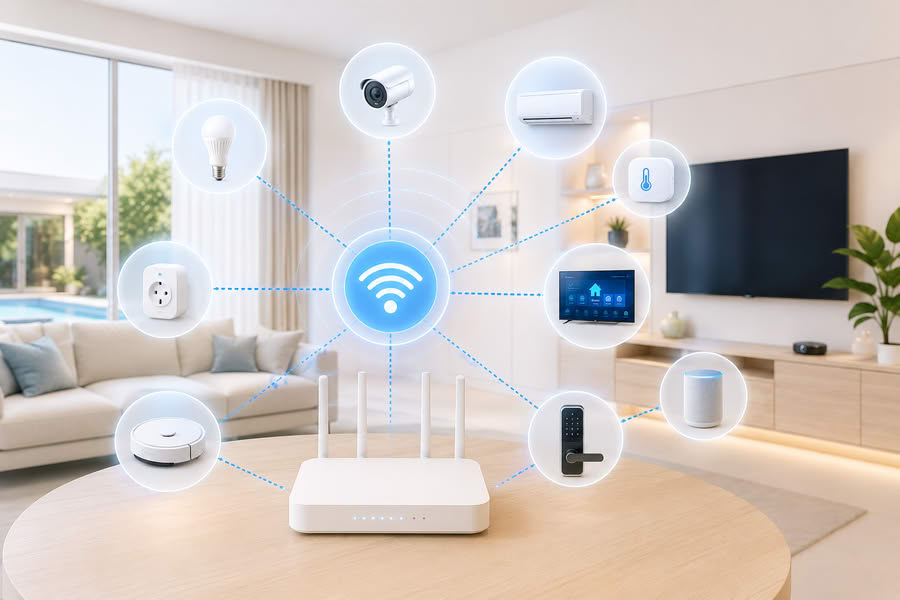
A smart home does not depend only on sensors, relays and applications. The base of a stable system is a properly configured network: router, Wi-Fi, access points, LAN connections, Home Assistant server and Zigbee coordinator.

If the network is poorly configured, devices may disconnect, scenes may work with delay, cameras and panels may become unstable, and the owner may think that the smart home system is the problem. In practice, the real problem often starts with the network.

Why a smart home needs proper network setup

In a regular apartment or house, Wi-Fi is often used only for phones, a TV and a laptop. But in a smart home, dozens of additional devices can be connected: relays, controllers, air conditioners, cameras, panels, a server, gateways, sensors and other systems.

If everything is connected to one weak router, the network can become unstable. For a villa, house or large condo, it is better to plan in advance which devices should work through LAN, which through Wi-Fi and which through Zigbee.

What network setup includes

  • checking the existing router and Wi-Fi coverage;
  • choosing suitable locations for access points;
  • setting up one Wi-Fi network across the property;
  • connecting the Home Assistant server through LAN;
  • placing the Zigbee coordinator in the correct location;
  • separating devices by connection type;
  • reducing the load from Wi-Fi devices;
  • preparing the network for future smart home expansion.

Wi-Fi in a villa or large house

In a villa, one router is often not enough. The signal may pass poorly through walls, floors, long distances, technical rooms and areas near the pool. As a result, devices may show weak signal, lose connection or work unreliably.

The correct solution is to use several access points placed around the property. The network should be configured so that users can move around the house comfortably and smart home devices do not lose connection.

One Wi-Fi name and several access points

A property can have one Wi-Fi network with one name and one password, while several access points are used inside the house. Each access point can have its own technical name for maintenance, so it is clear where it is installed.

This approach is convenient for villas and large condos: the user sees one network, while the equipment is distributed between access points. The main point is to configure the router, access points and coverage zones correctly.

Why everything should not be connected through Wi-Fi

Wi-Fi is not suitable for every device. If dozens of Tuya Wi-Fi modules, sockets, relays and sensors are connected to one router, the network may start working with delays. This is especially noticeable on larger properties.

For sensors, buttons and many switches, Zigbee is usually a better option. For the server, cameras, network equipment and important controllers, LAN is better where possible. Wi-Fi should be used where it is really justified.

LAN for stable devices

A Home Assistant server, network equipment, cameras, recorders, some panels and controllers are better connected by cable. LAN is usually more stable than Wi-Fi and depends less on interference, distance and wireless network load.

If it is possible to run cable or use existing low-voltage wiring on the property, this should be considered before installing smart home equipment.

Home Assistant and the network

Home Assistant is better installed on a separate server inside the property and connected to the network in a stable way. The server should be available for local devices, the Zigbee coordinator, LAN controllers, the owner’s phone and other integrations.

In this system, the phone is a control interface, not the main center. The main logic should work inside the property as much as possible.

Zigbee coordinator and placement

Zigbee devices need a Zigbee coordinator, not a Tuya Hub. Examples include Sonoff ZBDongle-P, SkyConnect or ConBee. Its location affects connection quality with sensors, relays, switches and other Zigbee devices.

The coordinator should not be hidden in a poor location near interference, metal or a weak USB port. Sometimes it is better to use a USB extension cable and place the coordinator in a more suitable position.

Network setup for condos

A condo usually has a smaller area, but network problems can still appear: a weak provider router, overloaded Wi-Fi, many nearby networks, poor router placement or too many Tuya devices.

For a condo, a more stable setup can be created: a proper router, correct equipment placement, Zigbee for sensors and Home Assistant for local logic.

Network setup for rentals and Airbnb

In a rental property, the network should be simple for guests and convenient for the owner. Guest Wi-Fi can be separated from smart home equipment, so tenants do not affect automation and do not have access to internal devices.

This is especially useful for villas and condos where the owner wants to remotely control air conditioners, lighting, leak protection, water heater, pool and other systems.

Typical smart home network problems

  • devices periodically disappear from the app;
  • scenes work with delay;
  • the router is overloaded by many Wi-Fi devices;
  • weak signal in remote rooms;
  • after a power outage, devices do not reconnect properly;
  • the Home Assistant server is connected unstably;
  • the Zigbee coordinator is installed in a poor location;
  • guest Wi-Fi and smart home devices are not separated.

What can be done on site

  • check the current router and Wi-Fi coverage;
  • understand where signal is lost;
  • choose access points for a villa, house or condo;
  • set up one Wi-Fi network;
  • connect important devices through LAN;
  • prepare the network for Home Assistant;
  • place the Zigbee coordinator correctly;
  • reduce dependency on overloaded Wi-Fi;
  • prepare the network for future automation.

Why the network should be prepared before expanding the smart home

If many devices are purchased first and then connected to a weak network, the result can be an unstable system. It is better to create the base first: router, access points, LAN, server, Zigbee coordinator and a clear connection structure.

After that, lighting, air conditioning, leak protection, pumps, pool automation, sensors, voice control and other smart home functions can be added more reliably.

Service area

We work across Pattaya and nearby areas in Chon Buri: Jomtien, Pratumnak, Central Pattaya, South Pattaya, North Pattaya, Naklua and surrounding locations.

WhatsApp